
Key Takeaways
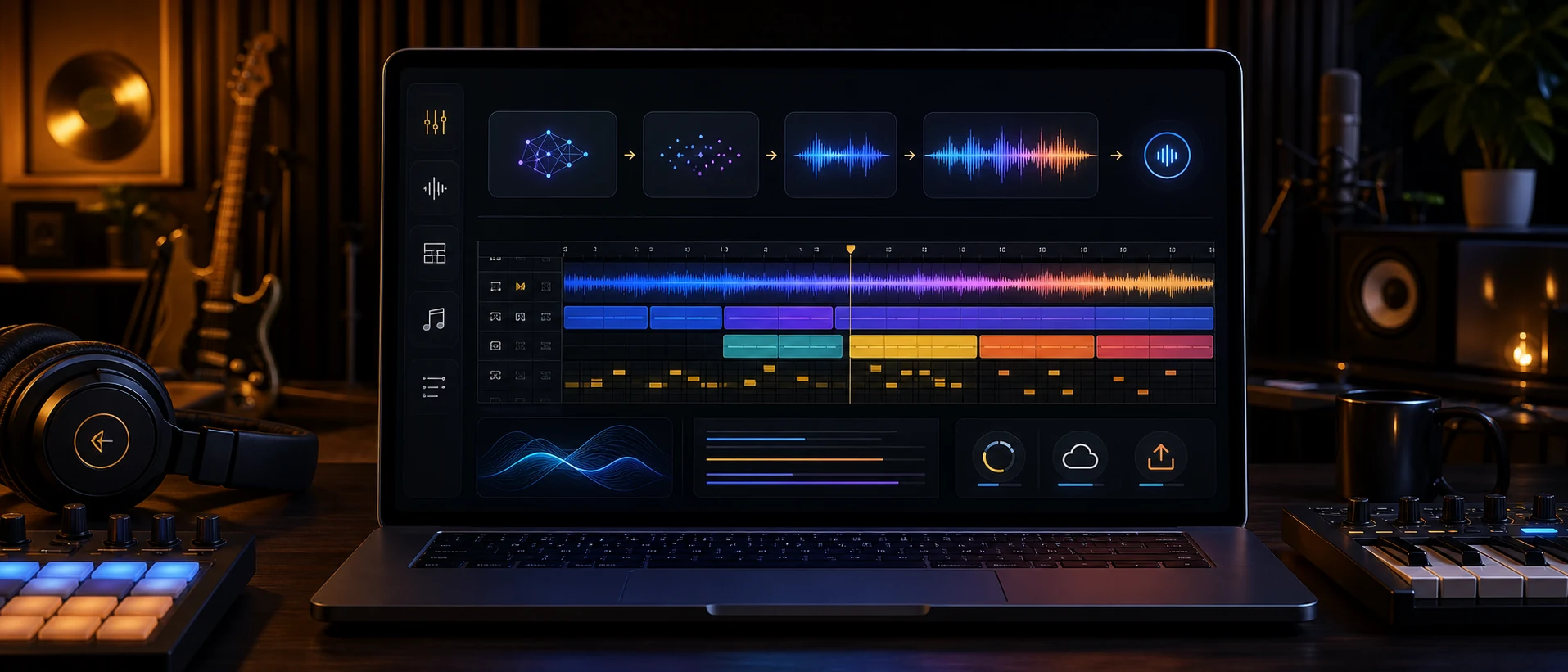
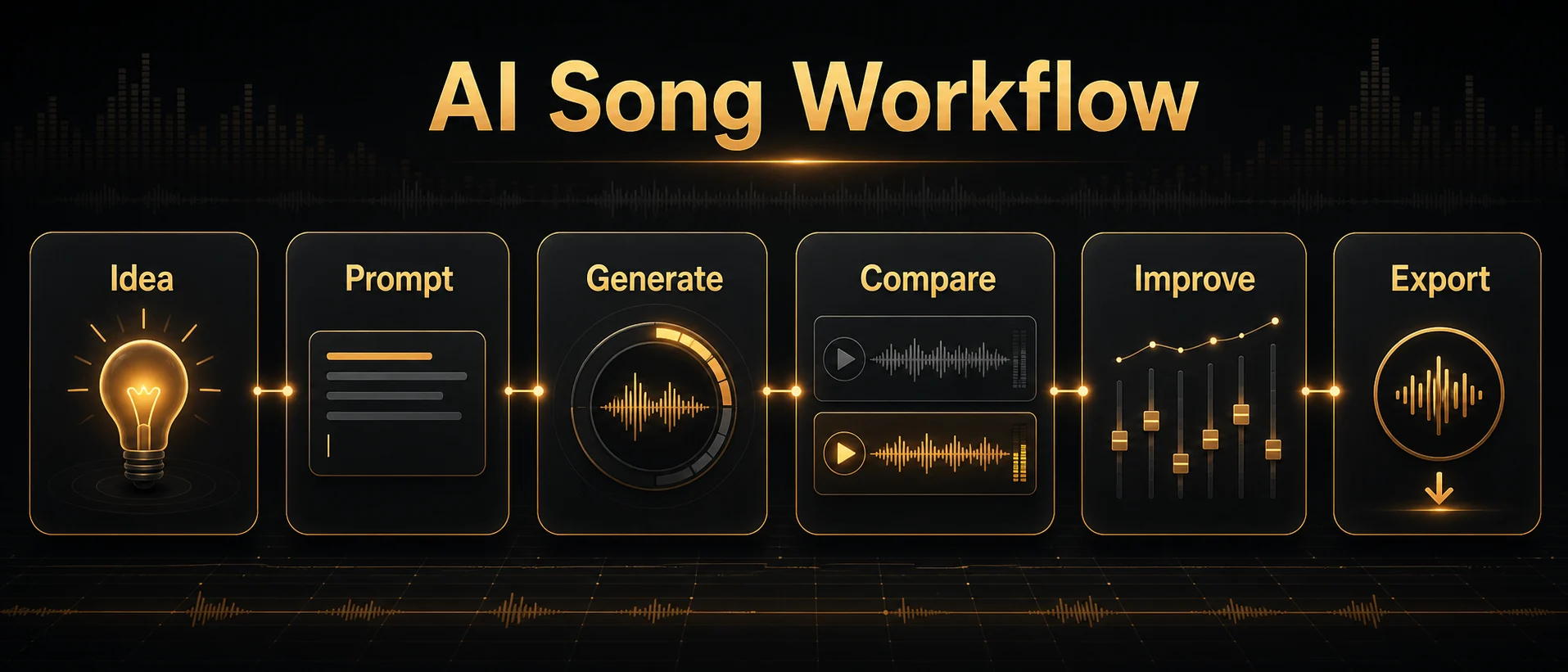
Making a song with AI means turning an idea, lyric, mood, or project goal into a structured song draft with an AI song generator, then refining it for a real use case. The best workflow is: define the purpose, write a specific prompt, choose genre, mood, vocal type, BPM, length, and structure, generate several versions, compare the results, improve weak parts, and export the right file.
Use text-to-song when you only have an idea, lyrics-to-song when the words matter, and instrumental mode when the track needs to support video, voiceover, podcasts, games, ads, or background scenes. A vague prompt usually creates generic music; a strong prompt gives the AI a clear job.
MakeBPM supports this workflow with AI Song Generator, Lyrics to Song, BPM Finder, and Vocal Remover, so creators can move from generation to tempo checking, vocal separation, reuse, and export in one music workflow.
Before using an AI-generated song commercially, check the tool terms, platform rules, AI disclosure requirements, and whether your inputs include copyrighted lyrics, samples, melodies, recordings, or artist-specific references.
To make a song with AI, start with a clear idea, lyric, mood, or project goal, then use an AI song generator to choose the style, vocal direction, BPM, length, and structure before generating a few versions and refining the best one. The goal is not just to create a random track. It is to make a song that fits your video, podcast, game, social post, demo, or release plan.
AI can help you move fast, but the best results still come from creative direction. A vague prompt usually creates a generic song. Creator discussions about generic AI lyrics, AI lyric quality, and prompting for less generic tracks point to the same issue: the model needs a real job, not just a mood word.
MakeBPM is built around that creator workflow. You can begin with the AI Song Generator, turn finished words into music with Lyrics to Song, check tempo with the BPM Finder, and separate vocals or instrumentals with the Vocal Remover when you need to reuse or edit audio.
There is also a practical rights and publishing layer to consider. The U.S. Copyright Office AI resource page tracks policy and registration guidance for works containing AI-generated material. YouTube says creators may need to disclose realistic AI-generated or meaningfully altered content, and its Content ID system can automatically identify matches to copyrighted audio or video.
Quick Answer: How to Make a Song with AI
Here is the simple version:
- Choose your starting point: idea, lyrics, mood, reference audio, or BPM.
- Write a clear prompt or paste your lyrics.
- Select genre, mood, vocal type, BPM, length, and song structure.
- Generate two or three versions instead of stopping at the first result.
- Pick the best version, fix weak sections, export the right format, and check usage rights before publishing.
That is the workflow most beginners need. The mistake is thinking AI music creation ends when the generator returns a track. In real creator work, the first generation is closer to a draft. You still need to decide whether the vocal works, whether the hook is memorable, whether the intro is too long, whether the BPM matches the edit, and whether the final file is ready for the platform where you plan to use it.
If you want to start immediately, open the MakeBPM AI Song Generator, describe the song you need, and use the sections below to make your prompt more specific.
Choose the Right Starting Point
Before writing a prompt, decide what you already have. AI music tools usually support several paths, but each path fits a different kind of user.
| What you have | Best starting point | Recommended MakeBPM path |
|---|---|---|
| A simple idea | Text-to-song | AI Song Generator |
| Finished lyrics | Lyrics-to-song | Lyrics to Song |
| A video mood or scene | Mood, length, and BPM | AI Song Generator plus tempo direction |
| An existing track or recording | Analyze or separate audio | BPM Finder or Vocal Remover |
| Background music for voiceover | Instrumental prompt | AI song generation with no vocals |
| A song that needs reuse | Extract vocals or instrumental | Vocal Remover |
If you only have an idea, do not start by trying to write perfect lyrics. Start with the project. A prompt like "make a song for a 45-second product launch video" gives the AI a clearer job than "make a cool song."
If you already have lyrics, use them. Lyrics-to-song gives you more control over the message, structure, and emotional arc. You can add tags such as verse, chorus, bridge, or outro to make the structure easier for the model to follow.
If the song needs to fit an edit, think about BPM early. A travel montage, workout video, podcast intro, and game loop all need different tempo choices. MakeBPM's brand advantage is not just generating music. It is helping creators think in beats, structure, and reuse.
Step 1: Define the Song's Purpose
The purpose of the song controls almost every creative decision.
A full song for release needs a different structure from a YouTube intro. A podcast theme should be memorable but not distracting. A game loop needs a clean ending that can repeat. A TikTok background track needs to grab attention quickly. An ad jingle needs a short hook and clear brand mood.
Before you generate anything, answer these questions:
- Where will the song be used?
- How long should it be?
- Should it have vocals, light vocal chops, or no vocals?
- What mood should it create?
- Does it need to match a video cut, scene, beat, or dance rhythm?
- Should it loop cleanly or end like a finished song?
Here are practical examples:
| Use case | Better direction |
|---|---|
| YouTube intro | 8 to 15 seconds, strong hook, clean ending, no busy vocals |
| TikTok background | 20 to 30 seconds, immediate energy, clear rhythm, catchy motif |
| Podcast theme | 8 to 12 seconds, warm identity, no lyrics under speech |
| Game loop | 60 to 90 seconds, seamless ending, stable BPM, no vocals |
| Full pop song | Verse, chorus, bridge, outro, vocal direction, lyric theme |
| Brand ad | 15 to 30 seconds, memorable hook, clean mix, mood tied to product |
This step matters because AI will fill in whatever you leave blank. If you do not specify length, it may create a track that is too long. If you do not specify vocals, it may add singing where you only wanted background music. If you do not mention BPM, the result may feel wrong for your edit even if the style sounds good.
Step 2: Write a Better AI Song Prompt
A strong AI song prompt is specific without being overloaded. It gives the model creative direction, but it does not try to control every note.
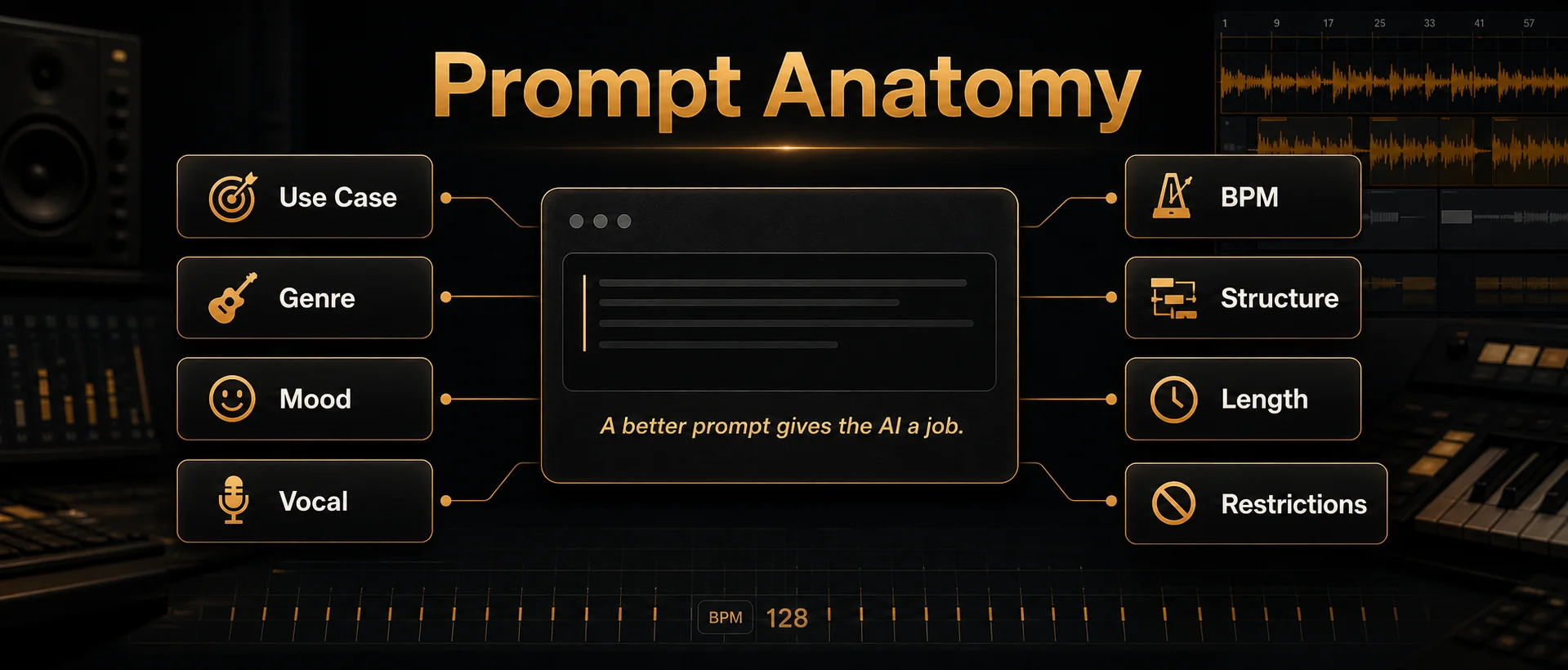
Use this formula:
Use case + genre + mood + vocal type + BPM + structure + length + restrictionsA weak prompt looks like this:
Make a happy pop song.That may produce something listenable, but it gives the AI almost no useful direction. You have not said who the song is for, how long it should be, whether it needs vocals, whether it should fit a video, or what kind of pop you want.
A better prompt looks like this:
Create a 90-second upbeat pop track for a YouTube travel vlog, 120 BPM, bright guitar, soft electronic drums, light vocal chops, catchy chorus, clean intro, and loop-friendly ending.This prompt is stronger because it includes a job, length, tempo, instrumentation, vocal direction, structure, and ending style.
Here is what each part does:
| Prompt element | Why it matters |
|---|---|
| Use case | Tells the AI whether the song is for video, release, podcast, game, or ads |
| Genre | Sets the musical world, such as pop, EDM, rap, country, acoustic, cinematic, or lo-fi |
| Mood | Shapes emotional tone, such as energetic, nostalgic, dark, hopeful, romantic, or calm |
| Vocal type | Controls male vocal, female vocal, duet, vocal chops, instrumental, or no vocals |
| BPM | Helps the result match editing rhythm, movement, dance, or loop timing |
| Structure | Guides intro, verse, chorus, bridge, drop, outro, or loop |
| Length | Keeps the output close to the actual project need |
| Restrictions | Prevents problems like explicit lyrics, busy vocals, long intros, or hard endings |
For a full song, your prompt can include structure:
Create a full indie pop song with male vocals, 105 BPM, warm guitar, soft drums, and emotional but hopeful lyrics. Structure: short intro, verse, chorus, verse, chorus, bridge, final chorus, outro. Theme: leaving a small town and starting over.For background music, remove vocal complexity:
Create a 60-second instrumental lo-fi track for a study video, 82 BPM, soft keys, warm bass, light drums, no vocals, no sudden drops, smooth loop-friendly ending.For a short-form video, get to the point quickly:
Create a 25-second energetic electronic track for a TikTok fitness clip, 128 BPM, punchy drums, bright synth hook in the first 3 seconds, no lyrics, strong ending hit.The more your prompt describes the final use, the less time you spend regenerating.
Step 3: Choose Text-to-Song, Lyrics-to-Song, or Instrumental Mode
Most AI song tools give you several ways to begin. Choose the one that fits the job.
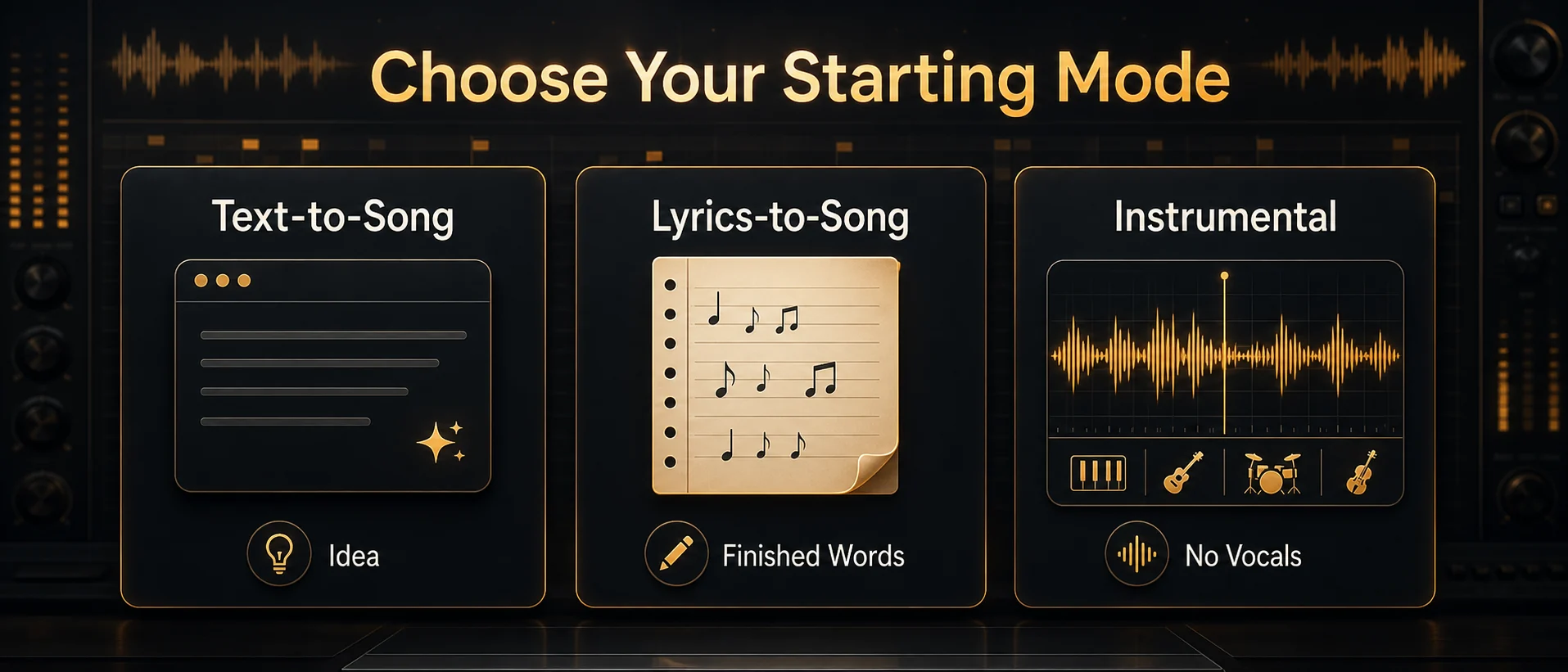
Use text-to-song when you only have an idea
Text-to-song is the easiest starting point. You describe the song, mood, style, and purpose, then let the AI create the music and often the lyrics.
Use it for:
- Quick demos
- Background music ideas
- Social media tracks
- Mood-based songs
- First drafts when you are not attached to exact lyrics
The risk is generic lyrics. If the words matter, text-to-song may give you a usable musical direction but weak lines. In that case, revise the lyrics yourself or switch to lyrics-to-song.
Use lyrics-to-song when the words matter
Lyrics-to-song is better when you have a message, story, chorus, or brand line you want to keep. Paste your lyrics into Lyrics to Song, then add style, vocal direction, BPM, and structure.
You can use simple structure tags:
[Verse]
I packed the night into a suitcase
Left the porch light fading blue

[Chorus]
I'm not running from the old days
I'm just making room for something new
Then add direction:
Style: warm indie pop, 102 BPM, male vocal, acoustic guitar, soft drums, emotional but hopeful, natural vocal delivery.This gives the AI less room to invent generic lines and more room to focus on melody, arrangement, and delivery.
Use instrumental mode when the track supports other content
If the music will sit under voiceover, dialogue, gameplay, product footage, or a tutorial, vocals can get in the way. Use instrumental direction or explicitly say "no vocals."
Instrumental prompts are especially useful for:
- YouTube background music
- Podcast intros and outros
- Game loops
- Ad beds
- Meditation, study, or sleep content
- Product demos
If you later need to remove vocals from an existing track, use the Vocal Remover to separate the vocal and instrumental parts.
Step 4: Generate Multiple Versions and Compare
Do not stop at the first AI-generated song unless it is clearly right. A better workflow is to generate two or three versions from the same prompt, then compare them like a producer or editor.
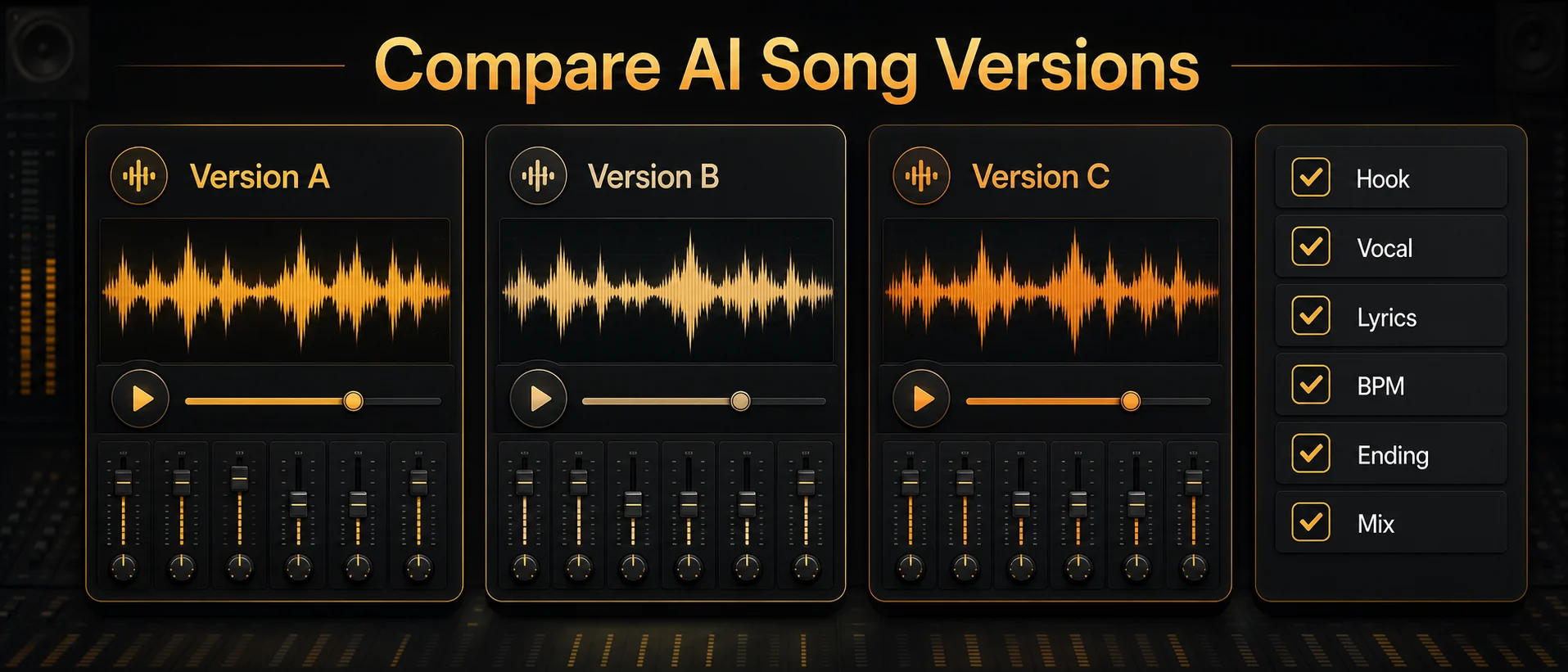
Listen for the full use case, not just whether the first ten seconds sound impressive.
| Check | What to listen for |
|---|---|
| Hook | Is there a memorable musical idea? |
| Vocal | Does the voice fit the mood and sound natural enough? |
| Lyrics | Are the words specific, or do they feel generic? |
| BPM | Does the tempo fit the edit, scene, or energy level? |
| Intro | Does the song start quickly enough for the platform? |
| Chorus or drop | Does the peak arrive where you need it? |
| Ending | Does it fade, stop cleanly, or loop well? |
| Mix | Are vocals, drums, and instruments balanced for the use case? |
For a full song, pay attention to the chorus and final minute. Some AI songs start well but lose structure later. For a video track, test it against the actual edit. A song can sound good alone and still be wrong under footage.
If the issue is tempo, check the track with BPM Finder. A stable BPM makes it easier to cut visuals, loop sections, or build edits around the beat.
Step 5: Improve the Song After Generation
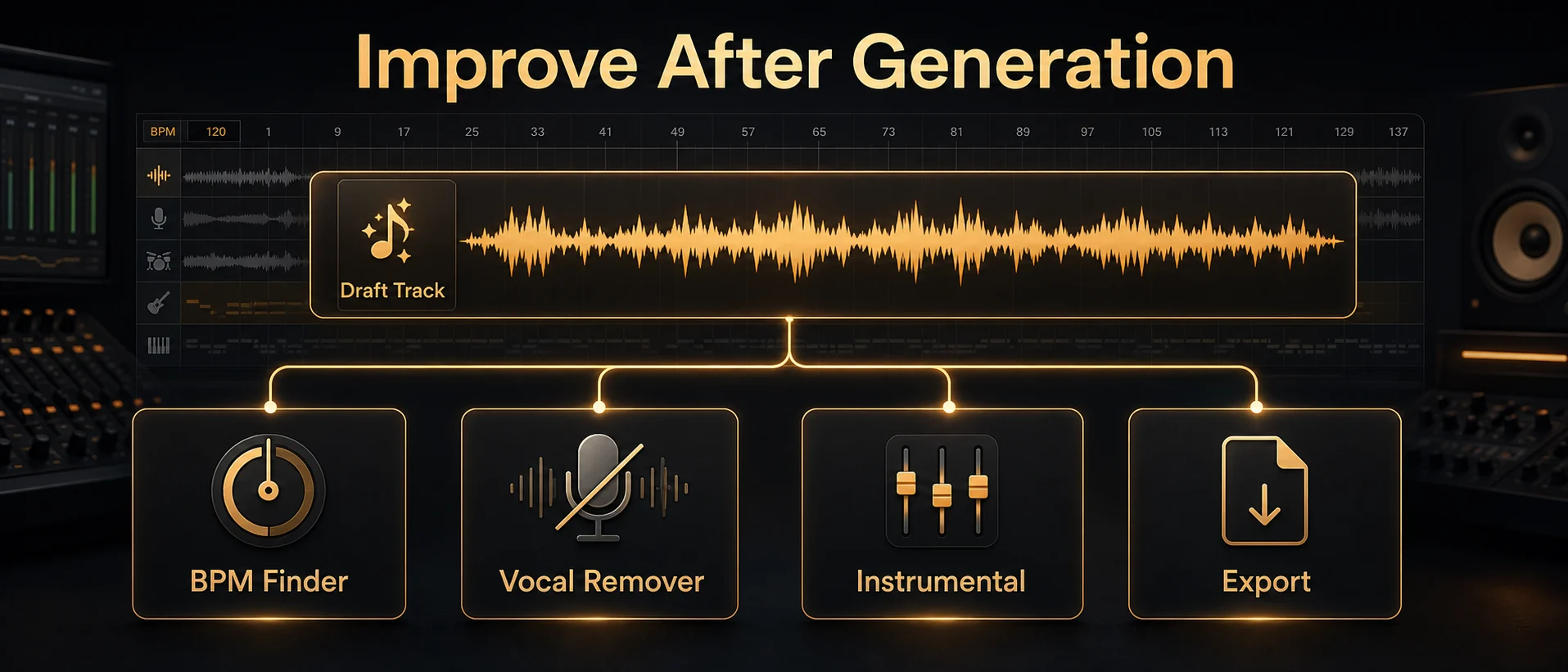
The strongest AI music workflow includes revision. Your first result is a draft. The next step is to identify what is weak and choose the right fix.
| Problem | What to do next |
|---|---|
| Lyrics sound generic | Rewrite the lyrics with concrete images, names, places, or a clearer story |
| Chorus is weak | Make the chorus shorter, simpler, and more repeatable before generating again |
| Vocal does not fit | Try another vocal direction or generate an instrumental version |
| Song is too busy for voiceover | Remove vocals, reduce energy, or use an instrumental prompt |
| Intro is too long | Ask for a shorter intro or a hook in the first 3 to 5 seconds |
| Track does not fit the video | Adjust length, BPM, or ending style |
| Beat feels off | Analyze tempo with BPM Finder |
| You only need the backing track | Separate vocals with Vocal Remover |
| Song lacks identity | Add a more specific scene, emotion, instrument, or audience |
The easiest quality upgrade is to make the prompt more concrete. Instead of "sad pop song," write "a slow 88 BPM piano pop song about packing an apartment after a breakup, intimate female vocal, quiet first verse, bigger final chorus, no EDM drop."
The second upgrade is to improve the lyrics before regenerating. AI lyrics often lean on broad lines like "lost in the night" or "chasing dreams." Replace those with specific images: a train station, a voicemail, a kitchen light, a street name, a calendar date, a repeated phrase. Specificity makes the song feel less machine-made.
This is not just a writing preference. It matches what many AI music users report in community discussions: generic lyric prompts often produce broad, repeated imagery, while stronger lyrics usually come from human revision, clearer story details, or more deliberate prompt constraints.
The third upgrade is to think like an editor. If you need a track for YouTube, the best song is not always the most complex song. It is the one that starts cleanly, does not fight narration, has a usable tempo, and ends without making the cut feel awkward.
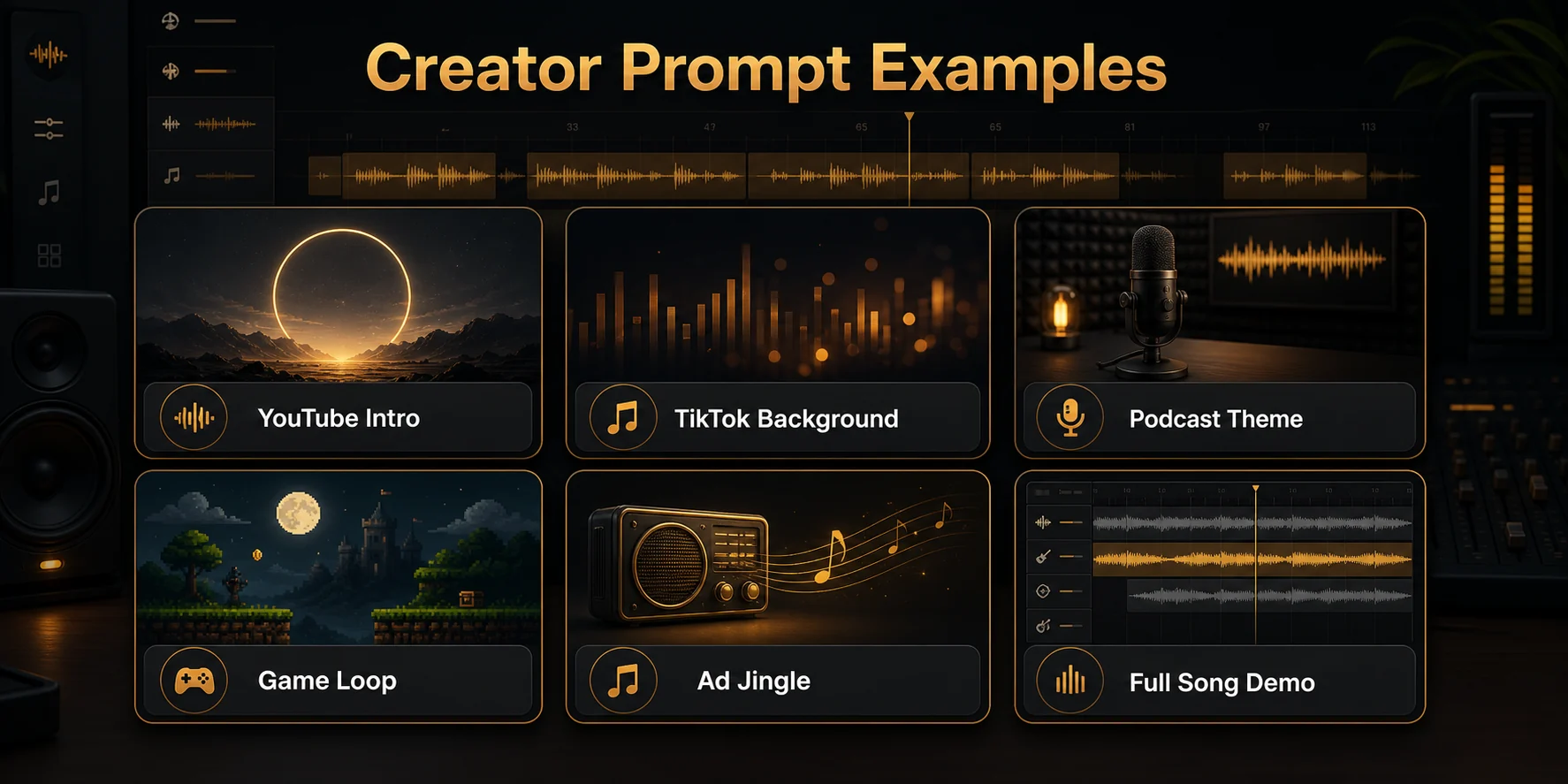
AI Song Prompt Examples for Creators
Use these prompt recipes as starting points. Change the genre, BPM, vocal direction, and mood to fit your project.
YouTube Intro Music Prompt
Best for: channel intro, travel vlog, creator branding
Recommended length: 8 to 15 seconds
Recommended BPM: 110 to 125
Vocals: no lead vocals, light vocal chops optional
Create a 12-second upbeat instrumental pop intro for a YouTube travel channel, 120 BPM, bright guitar, soft synths, clean drums, energetic but not distracting, memorable hook in the first 3 seconds, no lead vocals, clean ending.After generating, check whether the hook appears fast enough and whether the ending works before your talking segment begins.
TikTok Background Music Prompt
Best for: short-form edits, fashion clips, fitness clips, product shots
Recommended length: 20 to 30 seconds
Recommended BPM: 120 to 140
Vocals: no lyrics or short vocal chops
Create a 25-second energetic electronic background track for a TikTok fitness edit, 132 BPM, punchy drums, bright synth hook, strong rhythm, no full lyrics, quick build in the first 5 seconds, clean final hit.After generating, check whether the beat supports fast cuts and whether the first few seconds are strong enough.
Podcast Theme Prompt
Best for: podcast intro or outro
Recommended length: 8 to 12 seconds
Recommended BPM: 80 to 105
Vocals: no vocals
Create a 10-second warm podcast theme, 92 BPM, soft electric piano, subtle bass, light drums, calm and confident mood, no vocals, memorable two-bar motif, smooth ending under voiceover.After generating, test it under spoken audio. If it competes with the voice, simplify the instrumentation.
Game Loop Prompt
Best for: casual game, menu music, background loop
Recommended length: 60 to 90 seconds
Recommended BPM: 90 to 120
Vocals: no vocals
Create a 75-second instrumental game loop, 104 BPM, playful synths, light percussion, soft bass, cheerful but not childish, no vocals, no sudden ending, seamless loop-friendly structure.After generating, check the transition from the ending back to the beginning.
Ad Jingle Prompt
Best for: short product ad, brand bumper, promo video
Recommended length: 15 to 30 seconds
Recommended BPM: 115 to 130
Vocals: optional short hook
Create a 20-second bright pop ad jingle, 124 BPM, confident and friendly mood, clap percussion, clean guitar, simple memorable melody, short vocal hook near the end, no complex lyrics, polished commercial sound.After generating, make sure the hook is simple enough to remember and does not distract from the product message.
Full Song Demo Prompt
Best for: singer-songwriter demo, concept track, release draft
Recommended length: full song
Recommended BPM: based on genre
Vocals: choose a clear vocal direction
Create a full indie pop song with male vocals, 105 BPM, warm guitar, soft drums, emotional but hopeful mood. Theme: leaving a small town and starting over. Structure: short intro, verse, chorus, verse, chorus, bridge, final chorus, outro. Keep the lyrics natural and specific, with no explicit language.After generating, listen to the chorus first. If the chorus is not strong, rewrite the chorus lyric and regenerate before changing the whole style.
Example AI Song Workflows
Here are three practical workflows that go beyond "type a prompt and download."
Workflow 1: Make background music for a YouTube video
Start with the video mood, not a genre. Decide whether the scene needs energy, calm, tension, nostalgia, or humor. Choose an instrumental prompt if there will be narration.
Workflow:
- Write a prompt with mood, length, BPM, and no-vocal direction.
- Generate two or three versions.
- Place the best version under the video.
- Check whether the intro, beat, and ending fit the edit.
- Use BPM Finder if the cuts need to match the beat.
- Export the final track in the format your editing software prefers.
Workflow 2: Turn lyrics into a song demo
Start with the lyrics and structure. Add section tags so the AI can understand the song shape.
Workflow:
- Paste lyrics into Lyrics to Song.
- Add genre, vocal type, BPM, and emotional direction.
- Generate multiple versions.
- Compare the chorus, vocal delivery, and lyric clarity.
- Rewrite weak lines and generate again.
- Keep prompt notes and generation dates for your records.
Workflow 3: Reuse an existing audio idea
Sometimes you do not need a new song. You need to understand or reuse part of an existing audio file.
Workflow:
- Upload the audio to find tempo with BPM Finder.
- If you need the backing track, separate vocals with Vocal Remover.
- Use the BPM, mood, and instrumentation as direction for a new prompt.
- Generate a fresh track that fits the same project energy without copying protected material.
This is where an AI music studio workflow becomes more useful than a one-shot generator.
Export Formats: MP3, WAV, Stems, and Loops
The right export depends on where the song will be used.
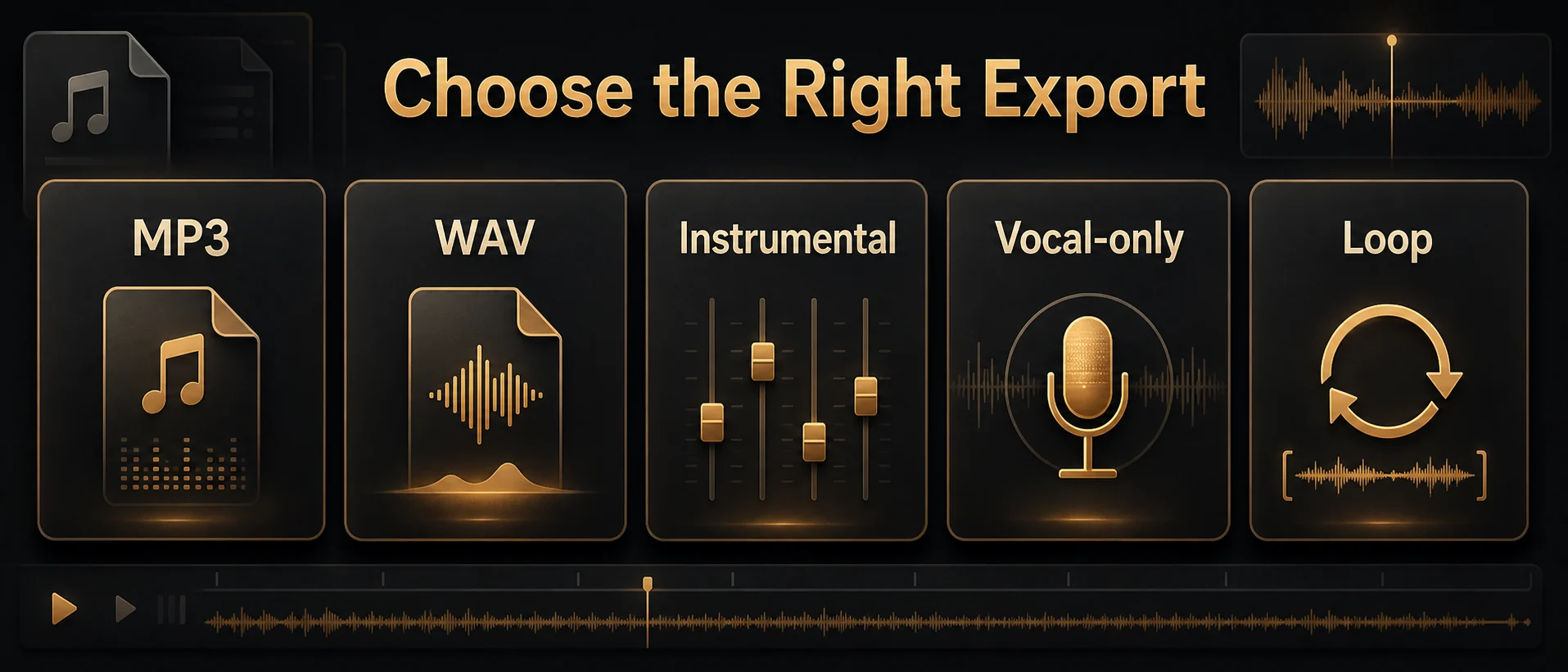
| Format or version | Best for |
|---|---|
| MP3 | Quick previews, social posts, lightweight sharing |
| WAV | Video editing, higher-quality exports, release preparation |
| Instrumental | Voiceover, podcast beds, tutorials, ads, games |
| Vocal-only | Remixing, editing, reference, reuse |
| Loop version | Games, streams, background scenes, repeated video sections |
If you are editing video, WAV is often easier to preserve quality through multiple exports. If you are testing ideas, MP3 is usually enough. If the music needs to sit under speech, create or extract an instrumental version so the vocal does not fight the voiceover.
For creators who generate often, credits, exports, storage, and commercial usage can matter. Check the current MakeBPM pricing page before planning a high-volume workflow or commercial release.
Can You Use AI Songs Commercially?
Sometimes, but you need to check the terms and your inputs. This is not legal advice. Commercial use for AI-generated music can depend on the generator's terms, your free or paid plan, the source material you provided, the platform where you publish, and whether your prompt or uploaded audio involved protected lyrics, melodies, samples, artist likenesses, or recordings.
The safest practical checklist is:
- Check the AI tool's current license terms and plan limits.
- Avoid copyrighted lyrics, melodies, samples, and artist-specific imitation prompts.
- Do not upload audio you do not have rights to use.
- Keep records of your prompt, lyrics, generation date, and exported files.
- Confirm whether your plan allows commercial use.
- Review YouTube, Spotify, distributor, or client requirements before publishing.
- Disclose AI-generated or meaningfully altered content where a platform requires it.
The U.S. Copyright Office maintains an AI and copyright resource page covering policy updates and registration guidance for works containing AI-generated material. YouTube also says creators may need to disclose realistic AI-generated or altered content, including examples involving AI-generated music. Separately, YouTube's Content ID system can identify matches to copyright-protected material when videos are uploaded.
For creator workflows, the practical rule is simple: make your inputs clean, avoid artist cloning or copyrighted references, keep your records, and check the platform rules before monetizing.
Common Mistakes When Making Songs with AI
The biggest mistake is using a vague prompt and expecting a finished song.
Avoid these common problems:
| Mistake | Better approach |
|---|---|
| "Make a cool song" | Define the use case, genre, mood, BPM, length, and vocal direction |
| Ignoring BPM | Add tempo when the track must match video, dance, workout, or game timing |
| Using generic lyrics | Add specific scenes, images, phrases, and story details |
| Letting vocals fight voiceover | Use instrumental mode for narration-heavy content |
| Downloading the first result | Generate and compare several versions |
| Asking for a famous artist's sound | Describe musical traits instead of imitating a real artist |
| Forgetting export needs | Choose MP3, WAV, instrumental, or loop version based on the project |
| Skipping license checks | Review plan terms and platform rules before commercial use |
AI music works best when you act like a creative director. You do not need to know advanced music theory, but you should know what the track is supposed to do.
Make Your First AI Song with MakeBPM
The best way to learn how to make a song with AI is to create a first draft, listen critically, and improve it. Start with a prompt, lyrics, mood, or BPM idea. Then use MakeBPM to generate the song, check the tempo, separate vocals when needed, and prepare the track for real creator workflows.
Start with the AI Song Generator, turn finished words into music with Lyrics to Song, check tempo with the BPM Finder, or separate audio with the Vocal Remover.
FAQ
Can AI make a full song?
Yes. AI song generators can create full songs with vocals, lyrics, instrumentation, and structure. Results vary, so it is usually better to generate several versions and refine the prompt or lyrics.
Do I need music production skills?
No. You can make music with AI without knowing a DAW or music theory. Basic creative direction still helps: describe the genre, mood, vocal type, BPM, length, and purpose.
Can I make a song from lyrics?
Yes. If you already have words, use Lyrics to Song. Add structure tags like verse and chorus, then describe style, vocal direction, and BPM.
Can I make instrumental music with AI?
Yes. Instrumental prompts are often best for YouTube videos, podcasts, games, ads, and voiceover. Include "no vocals" or "instrumental only" in the prompt.
How do I make AI music sound less generic?
Use specific prompts, write more concrete lyrics, define the song's purpose, and generate multiple versions. Replace vague emotions with scenes, images, places, and details.
Can I use AI songs on YouTube or TikTok?
Often yes, but you need rights to the audio and must follow each platform's rules. Avoid copyrighted inputs, artist impersonation, and misleading synthetic content. Check disclosure requirements before publishing.
Can I sell or release AI-generated songs?
It depends on the tool terms, your plan, your inputs, and the distributor or platform rules. Keep records of your prompts and files, avoid copyrighted source material, and check the current terms before release.
What format should I export my AI song in?
Use MP3 for quick sharing and previews. Use WAV when quality matters for editing, release preparation, or client work. Use instrumental or stem versions when you need to remix, edit, or place music under voiceover.
How do I find the BPM of an AI-generated song?
Upload the track to the BPM Finder. Knowing the BPM helps you cut video to the beat, match loops, plan remixes, and keep creator projects organized.
Can I make an AI song for free?
Many AI music tools offer free credits or trials. Free plans may limit generation count, export quality, storage, or commercial use, so check the current pricing and credit details before relying on a free track for a serious project.
Sources and Further Reading
This guide was informed by SERP research for How to Make a Song with AI, competitor page analysis, current MakeBPM product pages, and creator discussions around AI music workflows, commercial use, lyrics quality, and post-generation editing.
Useful external references include the U.S. Copyright Office AI resource page, the Office's January 2025 copyrightability report, YouTube's guidance on AI-generated or altered content disclosure, and YouTube's Content ID overview.
Community references include Reddit discussions about generic AI lyrics, AI lyric quality, and prompting for stronger AI music results.
Last updated: July 31, 2026.